ELECTRO: battery holder
Rebuild the battery holder with screenshots of every important step. It is a holder for a 9 V battery, with a separate lid.
Before you start
- Tinkercad works in millimetres. The grid step is at the bottom right and is set to 1.0 mm.
- The arrow keys move the selected shape by one grid step. With Shift it is ten times as much. Ctrl+↑ and Ctrl+↓ lift the shape up or lower it.
- D puts the selected shape back on the workplane. Handy to start a height again.
- A Hole only cuts something away after you group it with the solid part.
Parts and sizes
An open holder with 2 mm walls and floor, a cable hole in the short wall and a separate lid with an LED hole.
| Part | Size (mm) | Note |
|---|---|---|
| Outer box | 54 × 32 × 21 | battery 48.5 × 26.5 × 17.5 + clearance + wall |
| Inner box (Hole) | 50 × 28 × 20 | bottom at 2 mm |
| Cable hole (Hole) | 8 × 6 × 6 | bottom at 2 mm, in the short wall |
| Lid | 54 × 32 × 2 | Hole cylinder Ø 5.2 for a 5 mm LED |
1. Outer box: 54 × 32 × 21 mm
Drag a red Box onto the workplane. Set Length to 54, Width to 32 and Height to 21.
The sizes come from the battery of 48.5 × 26.5 × 17.5 mm plus 1.5 mm clearance and a 2 mm wall all around.
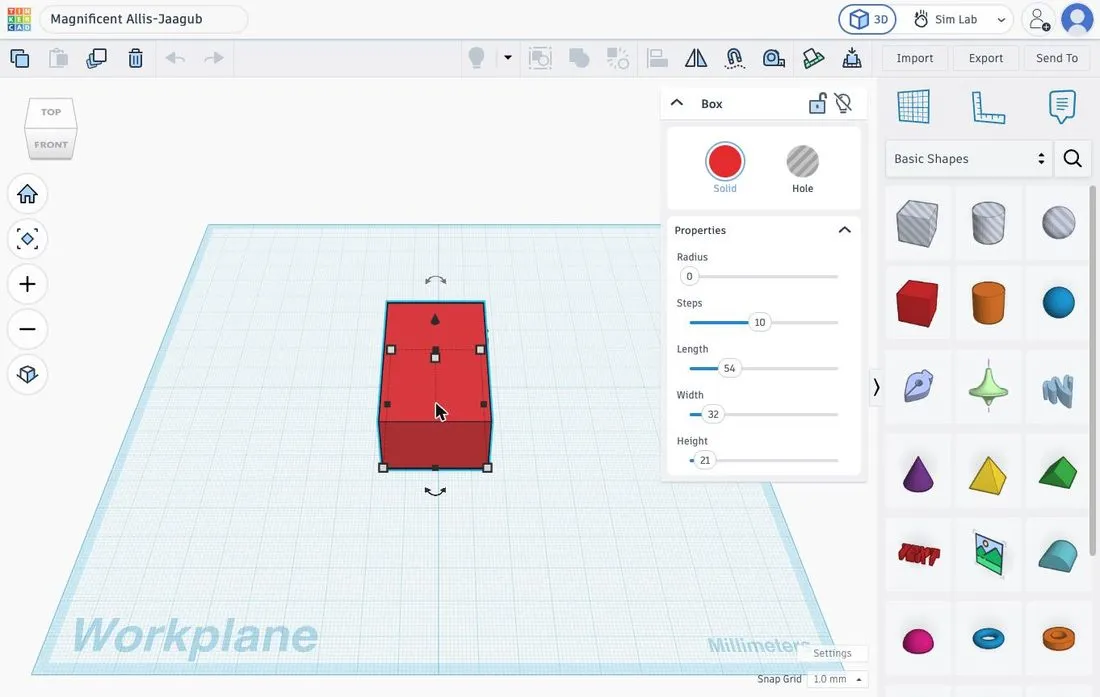 Outer box 54 × 32 × 21.
2. Hollow inner box: 50 × 28 × 20 mm
Drag the striped Hole box next to the outer box and set the sizes to 50, 28 and 20.
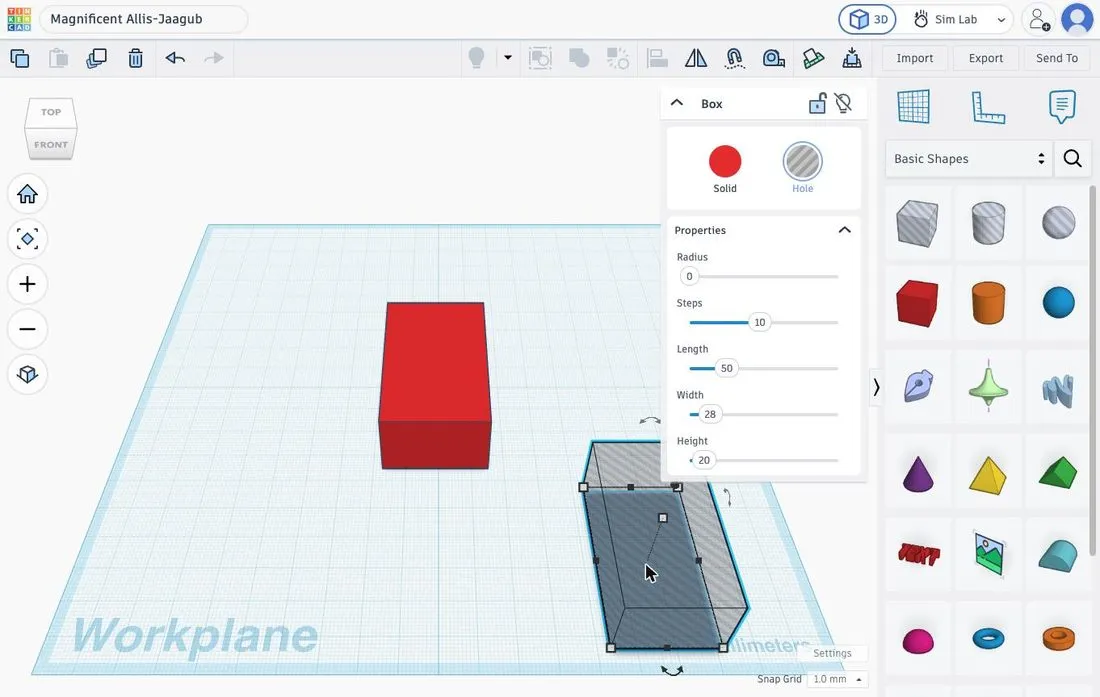 The Hole box next to the outer box.
3. Centre and lift 2 mm
Select the Hole box, Shift-click the outer box and open Align. Click the middle handles for X and Y. Do not touch the height handles.
Then lift only the Hole box 2 mm: D (back on the workplane), then Ctrl+↑ twice. The bottom is now at 2 mm: the floor is 2 mm thick. The top of the hole is at 22 mm and sticks out 1 mm above the outer box, so the holder is open at the top.
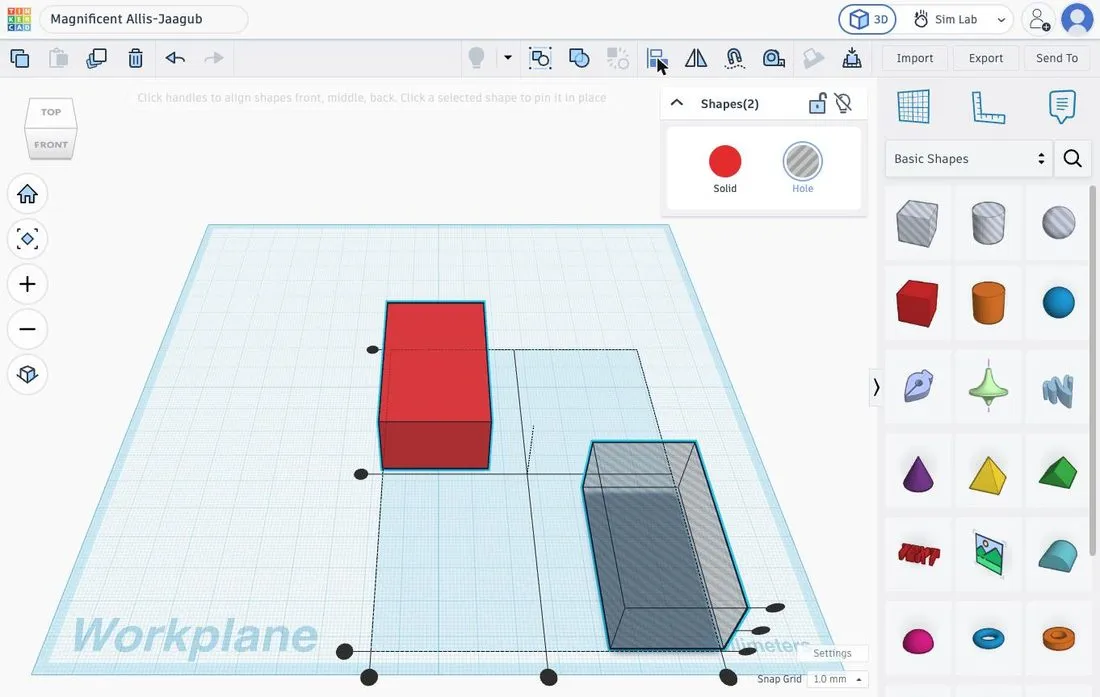 Align with both shapes selected.
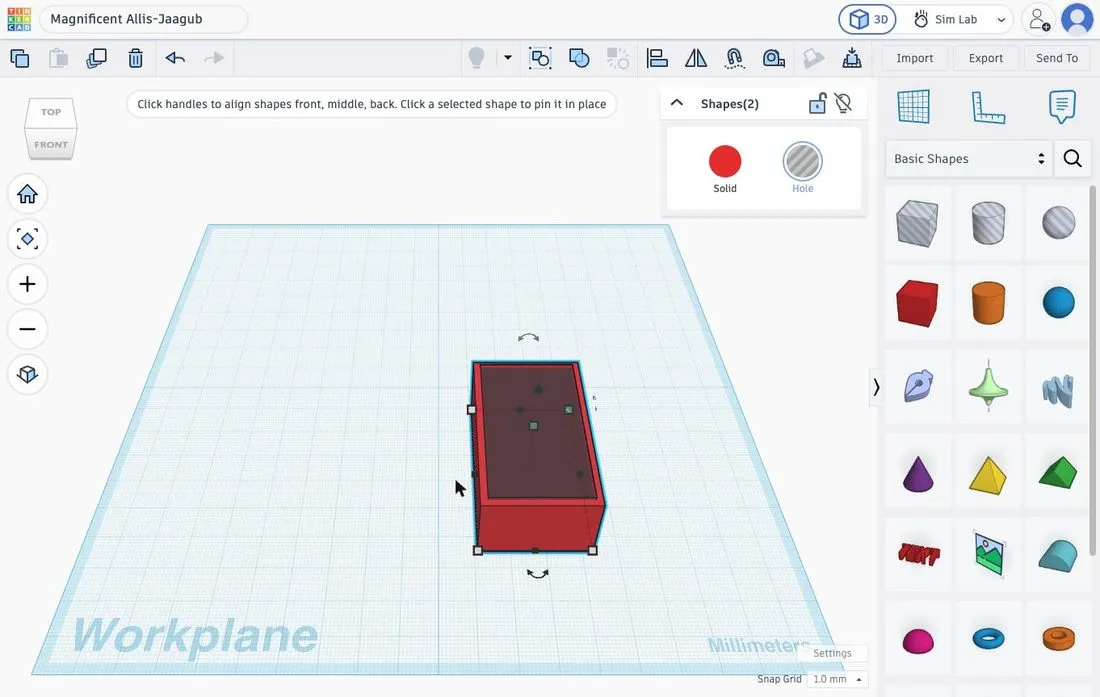 The Hole box is centred in the outer box.
4. Cable hole: 8 × 6 × 6 mm in a short wall
Drag a second Hole box and give it the sizes 8 × 6 × 6 (Length × Width × Height).
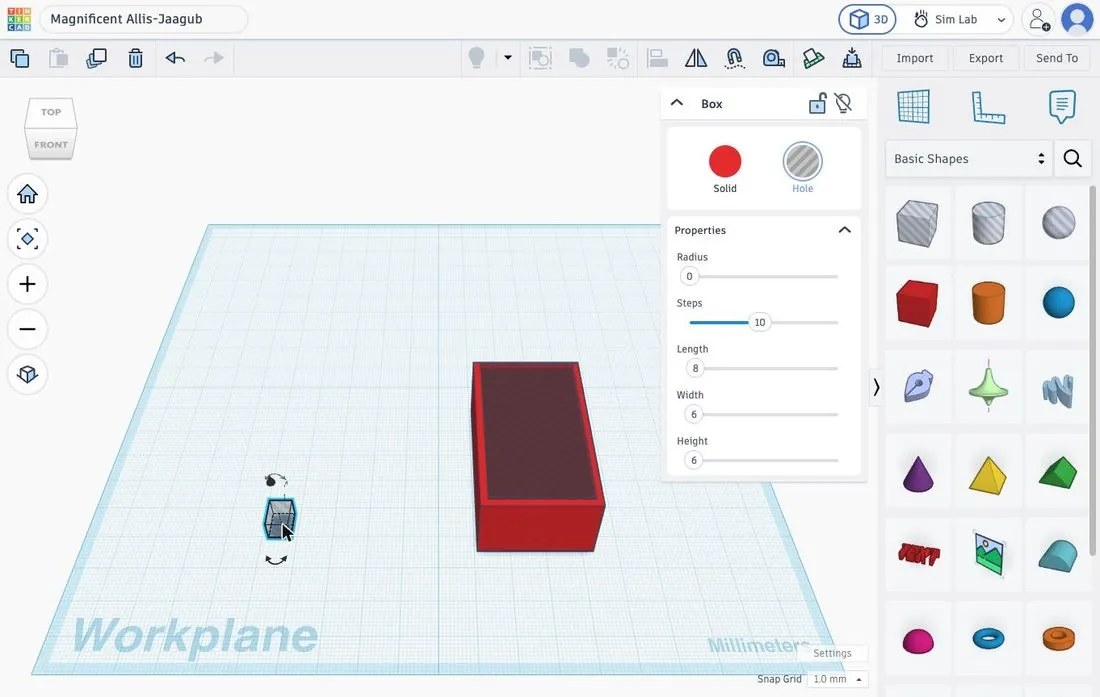 The small Hole box for the cable.
5. Place the cable hole: pinning is the trick
Select the small hole and the inner box (the 50 mm Hole box), open Align and click the inner box first to pin it. Then click the middle handle for X and the front handle for Y. The cable hole is now centred, with its front flush with the front of the inner box.
Then slide the hole 5 mm forward (↓ five times). The hole now runs from 3 mm outside the outer box to 5 mm inside it, so it cuts all the way through the 2 mm wall. Set the bottom to 2 mm: D, then Ctrl+↑ twice.
Note. Without pinning, the inner box moves along to the shared centre. If that happens, press Ctrl+Z and pin first.
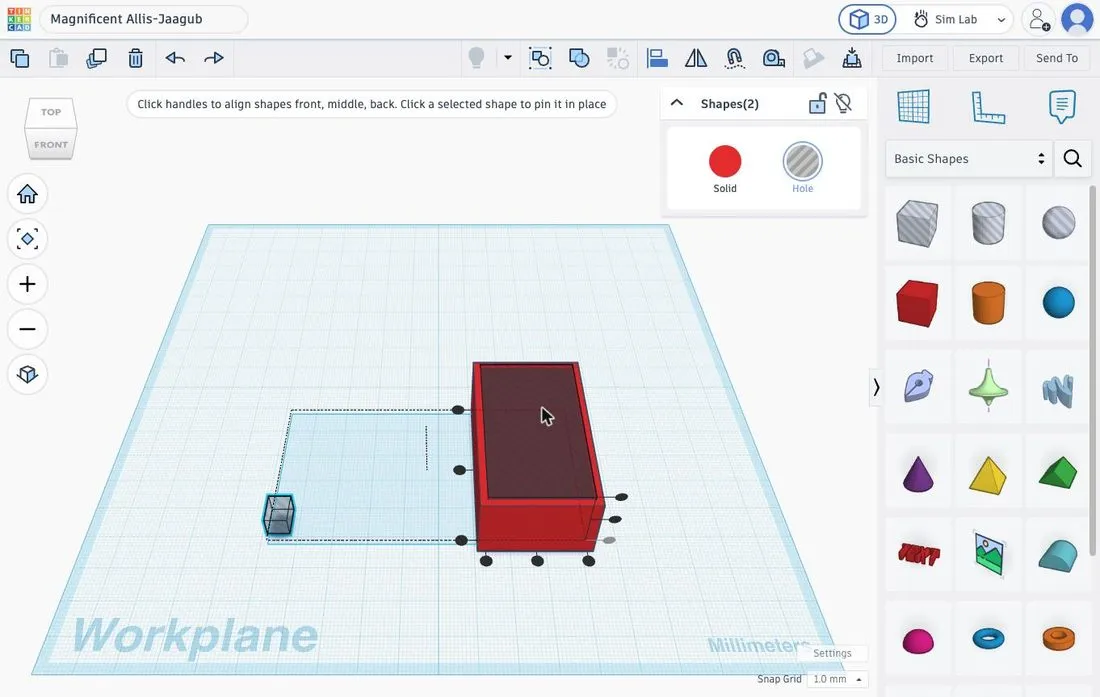 Inner box pinned: only the small hole moves.
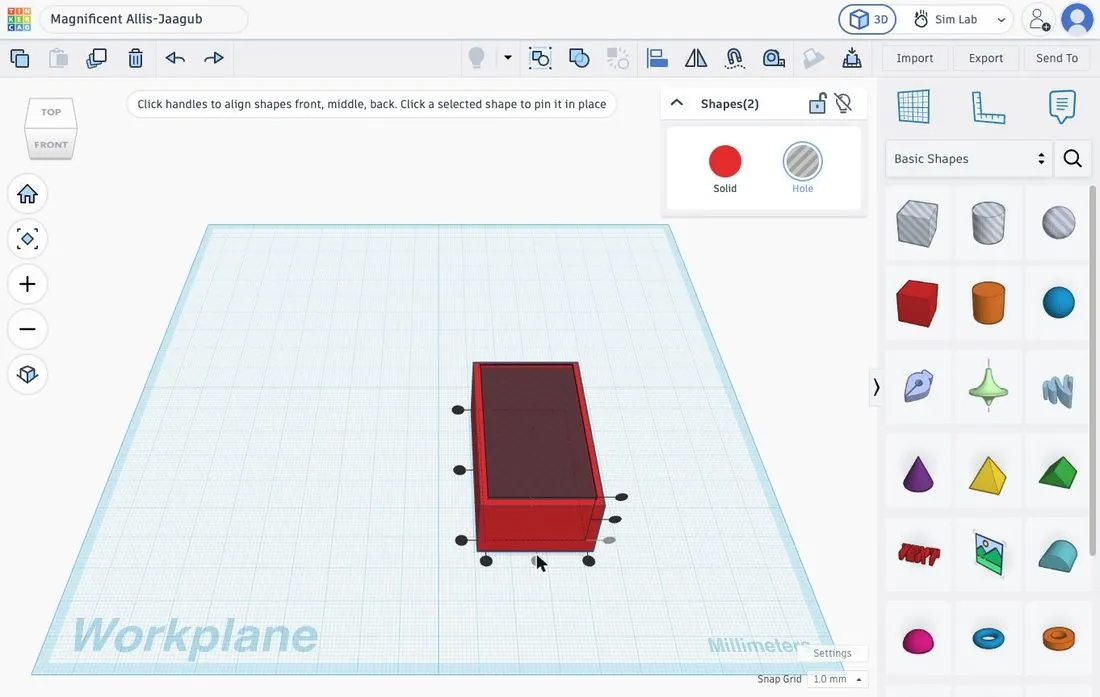 Cable hole centred in the width.
6. Select a hidden shape
The small hole is behind the outer box, so you cannot click it. Temporarily move the outer box and the inner box 40 mm aside (Shift+→ or Shift+← four times), then select the small hole, adjust it and move the other two back exactly.
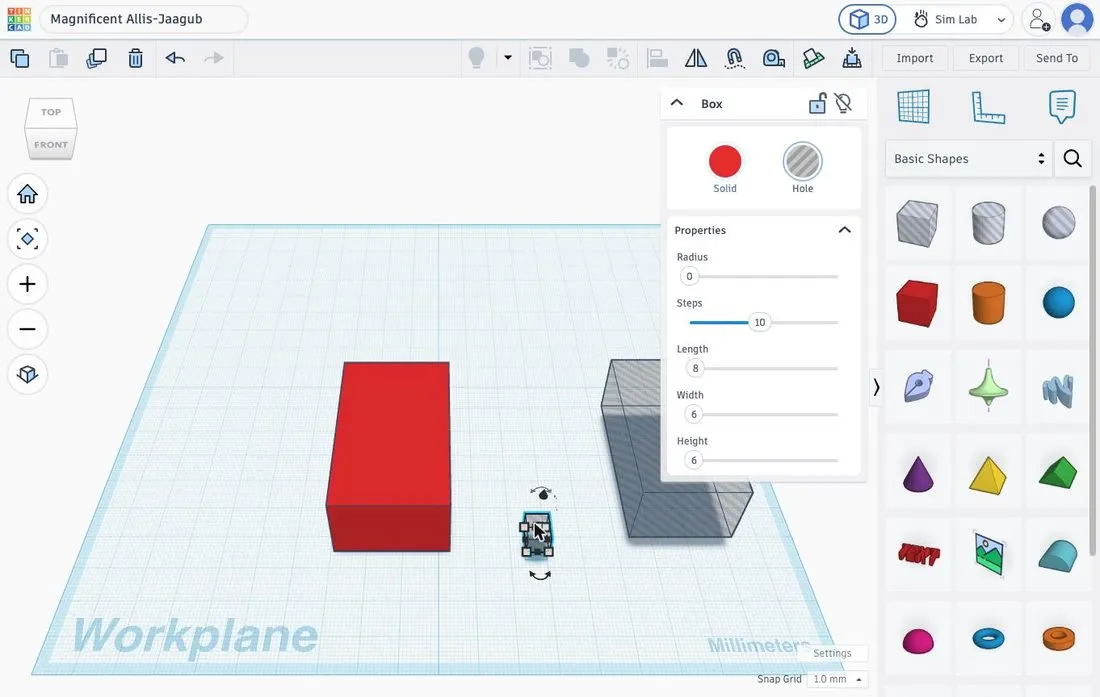 Separated shapes: the cable hole can now be clicked.
7. Group and check from the side
Select everything (Ctrl+A) and group (Ctrl+G). Look from below and from the side: the floor must be closed and only the cable hole opens the short wall.
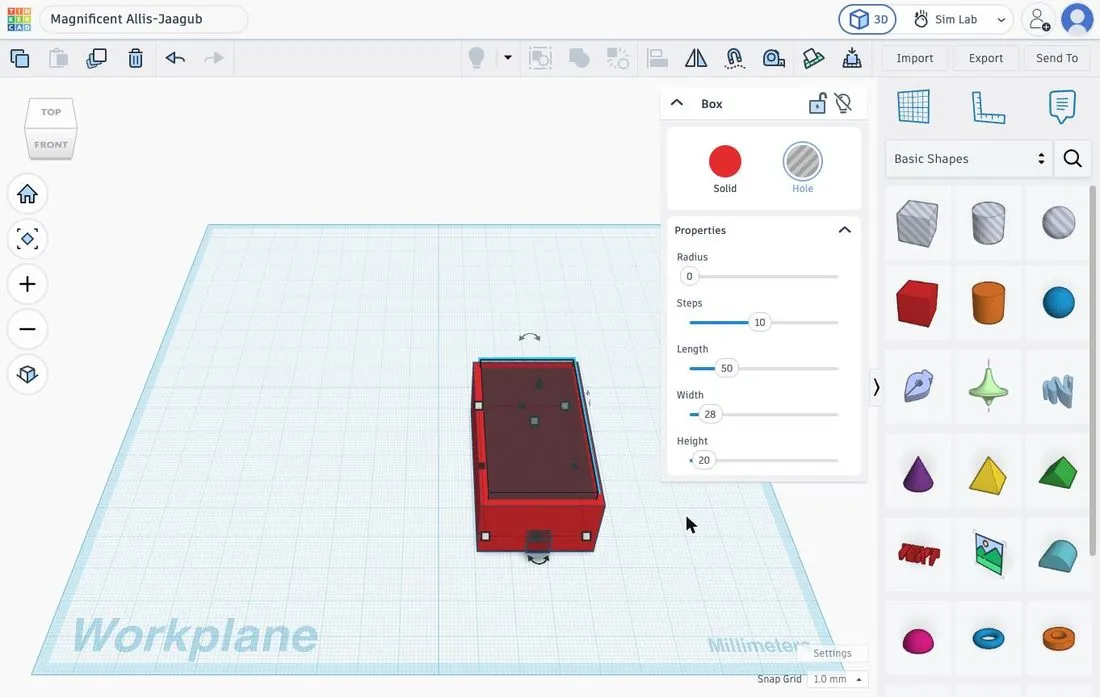 Holder just before grouping: open top, cable hole at the front.
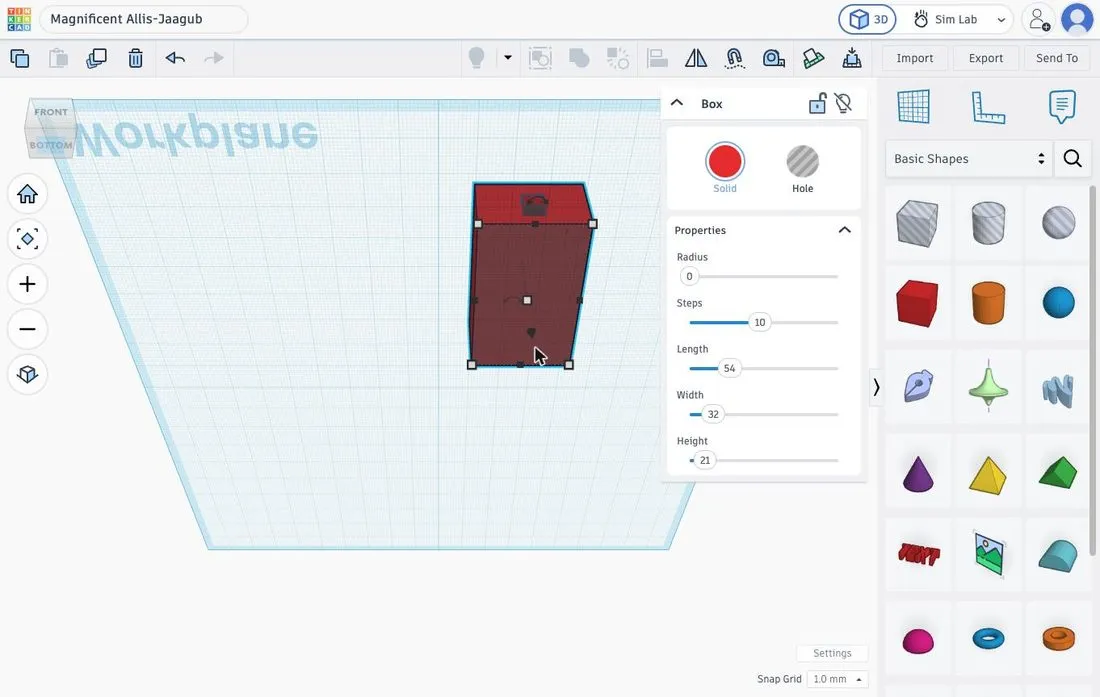 View from below: the floor is closed.
8. Your name on a long wall
In the view cube, click the arrow next to FRONT until RIGHT appears: you are looking at the long wall. Activate the Workplane tool, click that wall and drag the Text shape onto it. Enter your name, choose Multilanguage and set Height to 1.
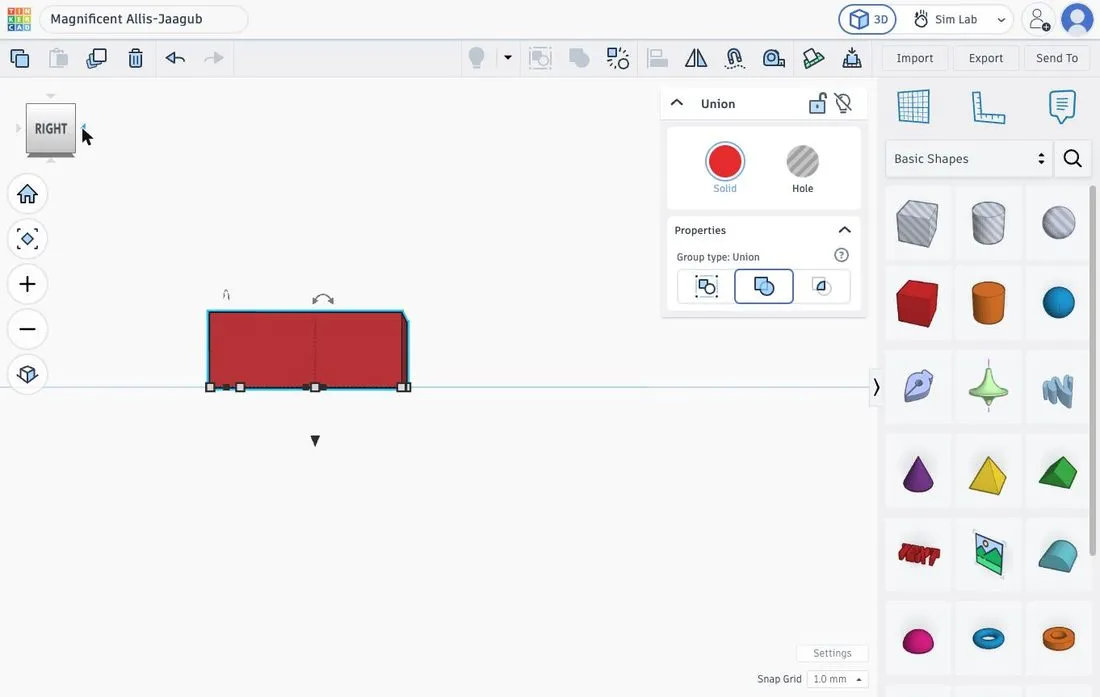 Right side view of the holder.
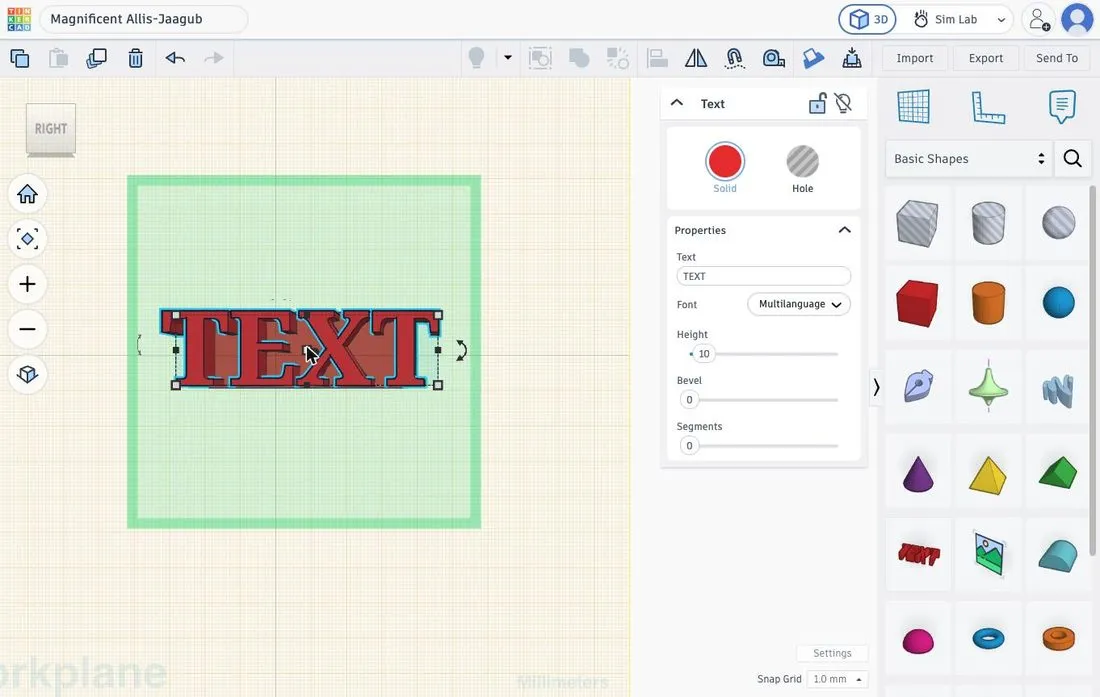 Text on the new workplane, at the default size.
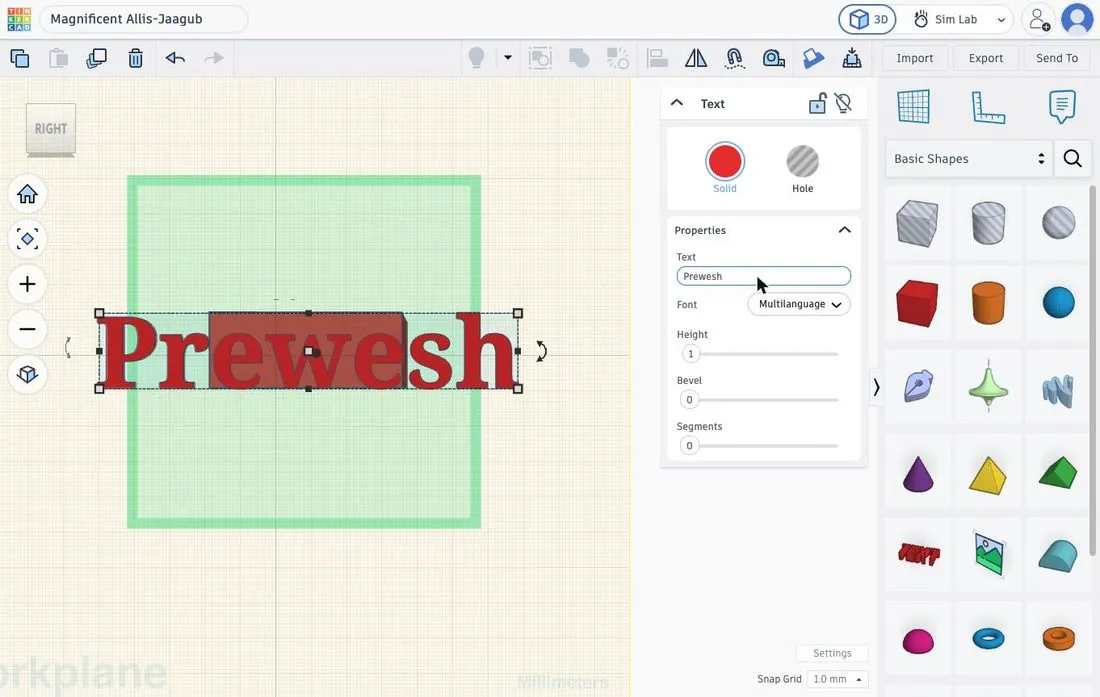 Name entered, Height 1.
9. Scale and centre the text
Scale the text with the size labels to 30 × 5.4 mm. Select the text and the holder, open Align, pin the holder and click the middle handles (horizontal and vertical).
Then group everything. Your name stands 1 mm proud on the long wall.
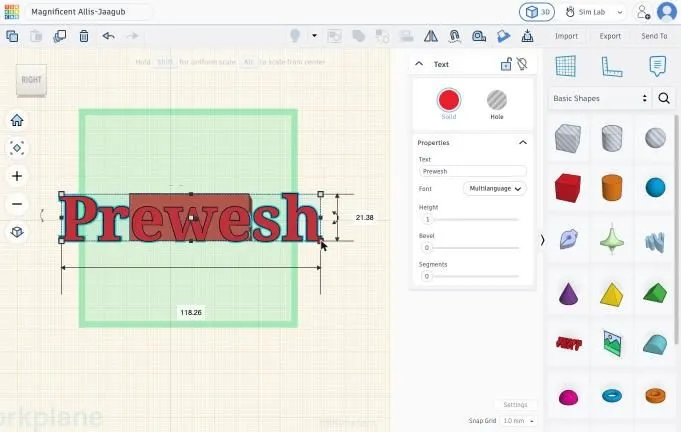 Size labels of the text.
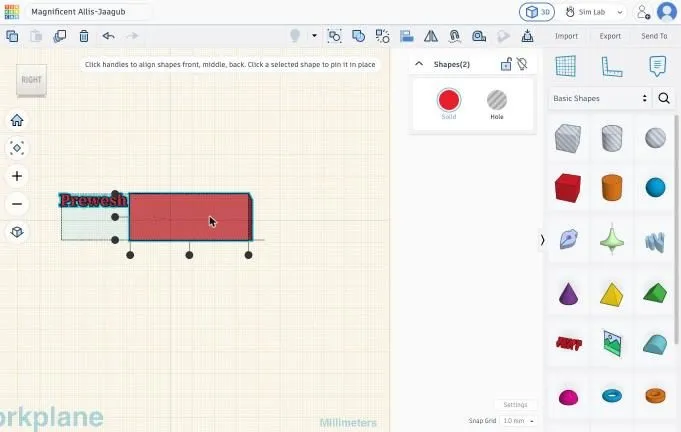 Holder pinned, text still on the left.
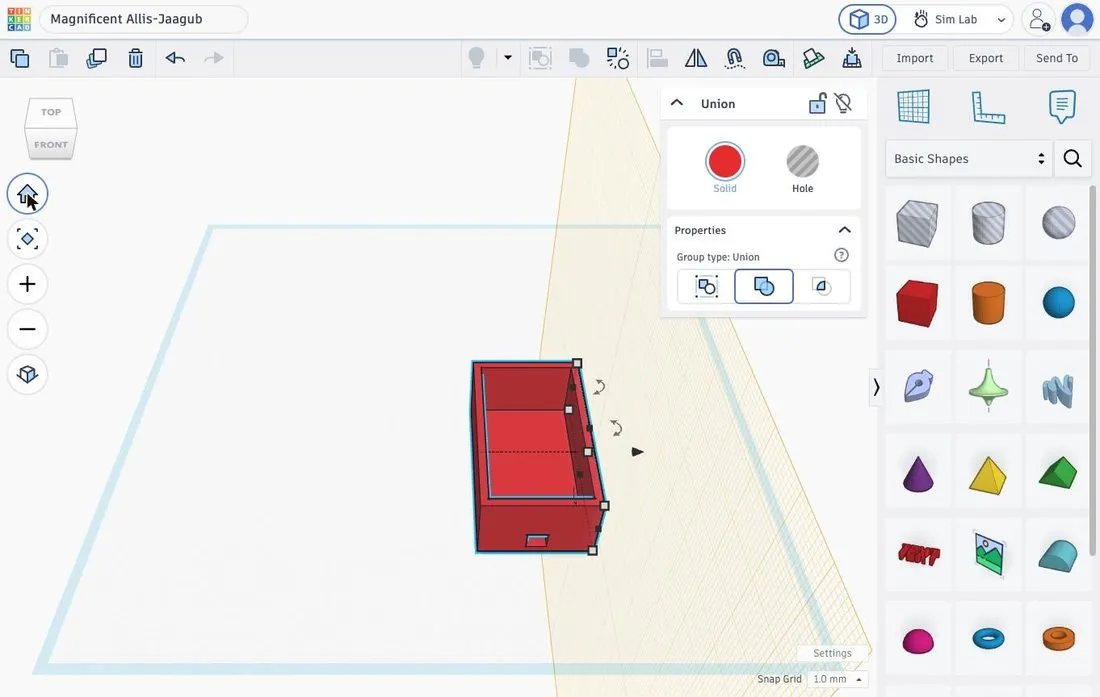 Holder with cable hole and centred name.
10. Extra: lid 54 × 32 × 2 mm with an LED hole
Put the workplane back on the ground (Workplane tool, click an empty spot on the ground). Drag a Box and give it 54 × 32 × 2. Drag a Hole cylinder, click a corner handle and set both labels to 5.2. That is a 5.2 mm hole for a 5 mm LED.
Select the cylinder and the lid, open Align, pin the lid and click the middle handles for X and Y. Group them (Ctrl+G).
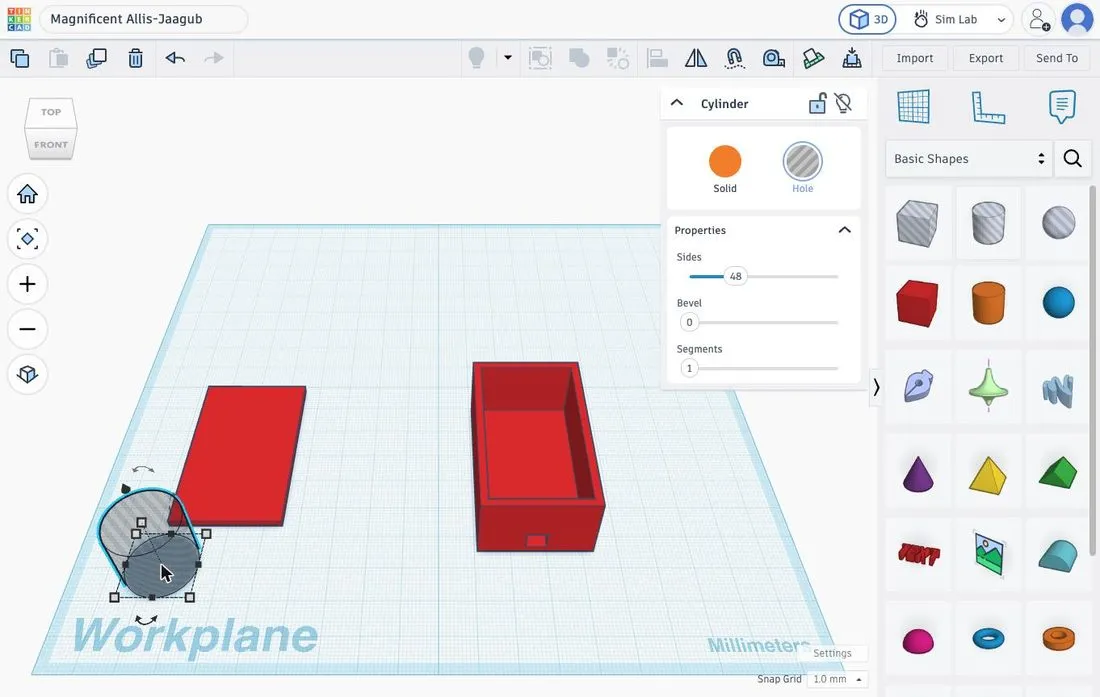 Lid (54 × 32 × 2) and Hole cylinder.
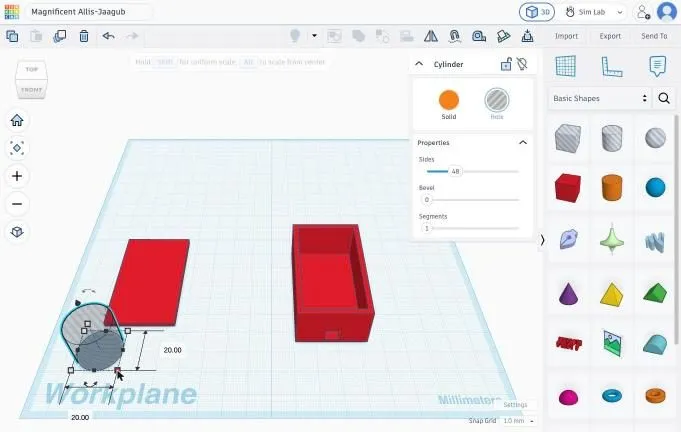 Labels of the cylinder: 20.00.
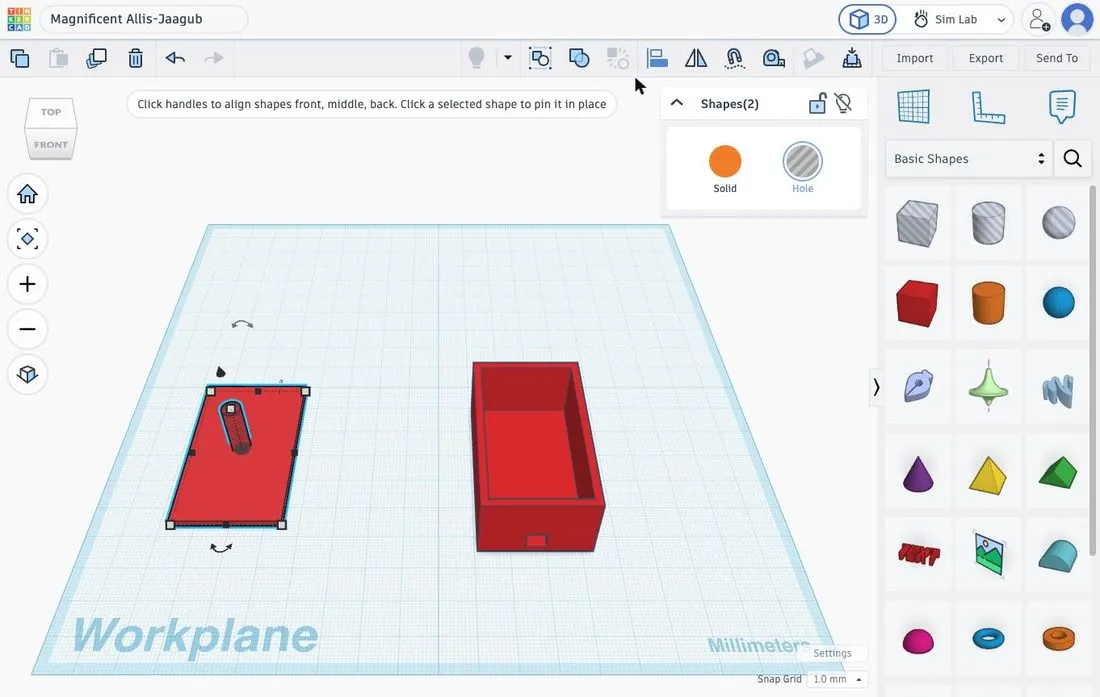 LED hole centred in the lid.
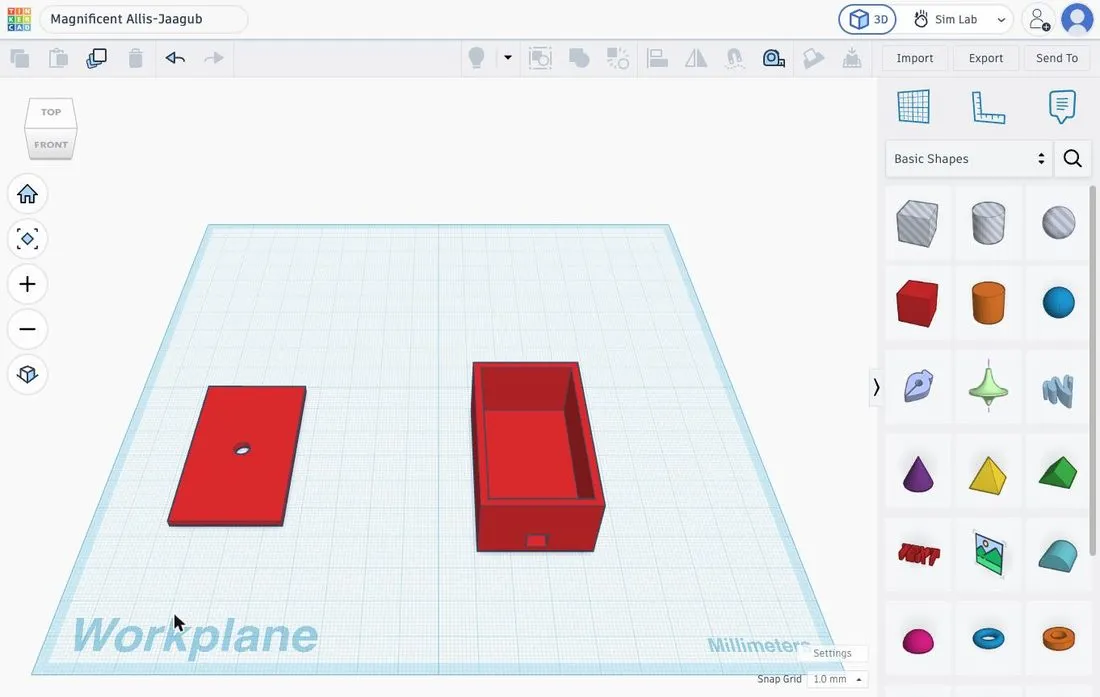 Holder and lid side by side.
Common mistakes
- The hole does not appear. The shape is still Solid, or you forgot to group.
- Align moves the wrong shape. Click the shape that must stay put first to pin it, or press Ctrl+Z and try again.
- A shape cannot be selected. It is hidden behind another one. Temporarily move the other one aside.
- A height is wrong. Press D and lift again with Ctrl+↑.
Tolerance. If you print the design, first print a small test piece and adjust the clearance. Real batteries and test tubes differ from the sizes given.